Matrix Math FK Driver Systems in Maya
Continuing on with my human rigging project, I’ve started building out some of the control rig on the side while working on the weight painting. My approach is to manually do all the work for an individual body module, and then fold that into a Python class to be used in my autorig system.
Matrices in Maya
I first started diving into advanced topics in Maya with 2020. That was the version that first introduced the Offset Parent Matrix, which is a complete game changer for classic Maya rigging techniques. However, I was very new at rigging, 3D graphics, and linear algebra. My school program’s curriculum also used the standard Maya constraint-based rigging, so I learned character rigging with those techniques and have never fully committed to matrices. With these new projects, I thought it was a great time to finally switch my tools and my knowledge base to matrix math..
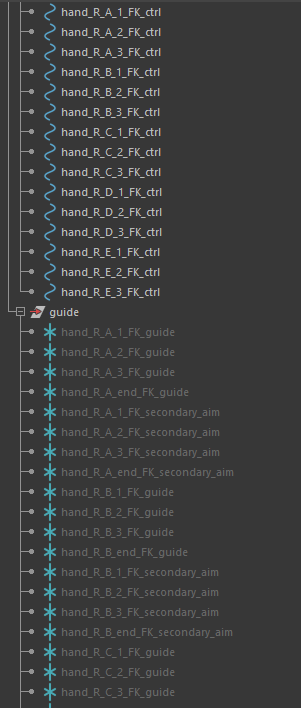
Though more complex, using matrices for rigging come with many advantages, like flat hierarchies and cleaner node networks. For an FK chain, normally you would have an alternating hierarchy of controls and offset groups to keep transform channels clean. Since the offset groups, in my case locator guides, are plugging into the offset parent matrix of the controls, they no longer need to be in the same hierarchy. Now when a control is animated, all the guides don’t need to be checked for a transformation change, since all they were meant to do was statically hold the start position. This is one of the ways matrices can improve rig performance.
What’s more is that by thinking about rigging as matrix manipulations instead of the abstraction caused by using Maya’s proprietary constraint nodes, my understanding of rigging and parent relationships becomes deeper and less reliant on a single software.
Matrix FK Setup
The basis of my knowledge of matrices and these workflows comes from the invaluable resources from Technical Artists like Jean-Paul Tossings, Mathias Røyrvik, and Raffaele Fragapane. Getting multiple perspectives on this topic applied to rigging has been essential to finally getting a grasp on matrix math in 3D.
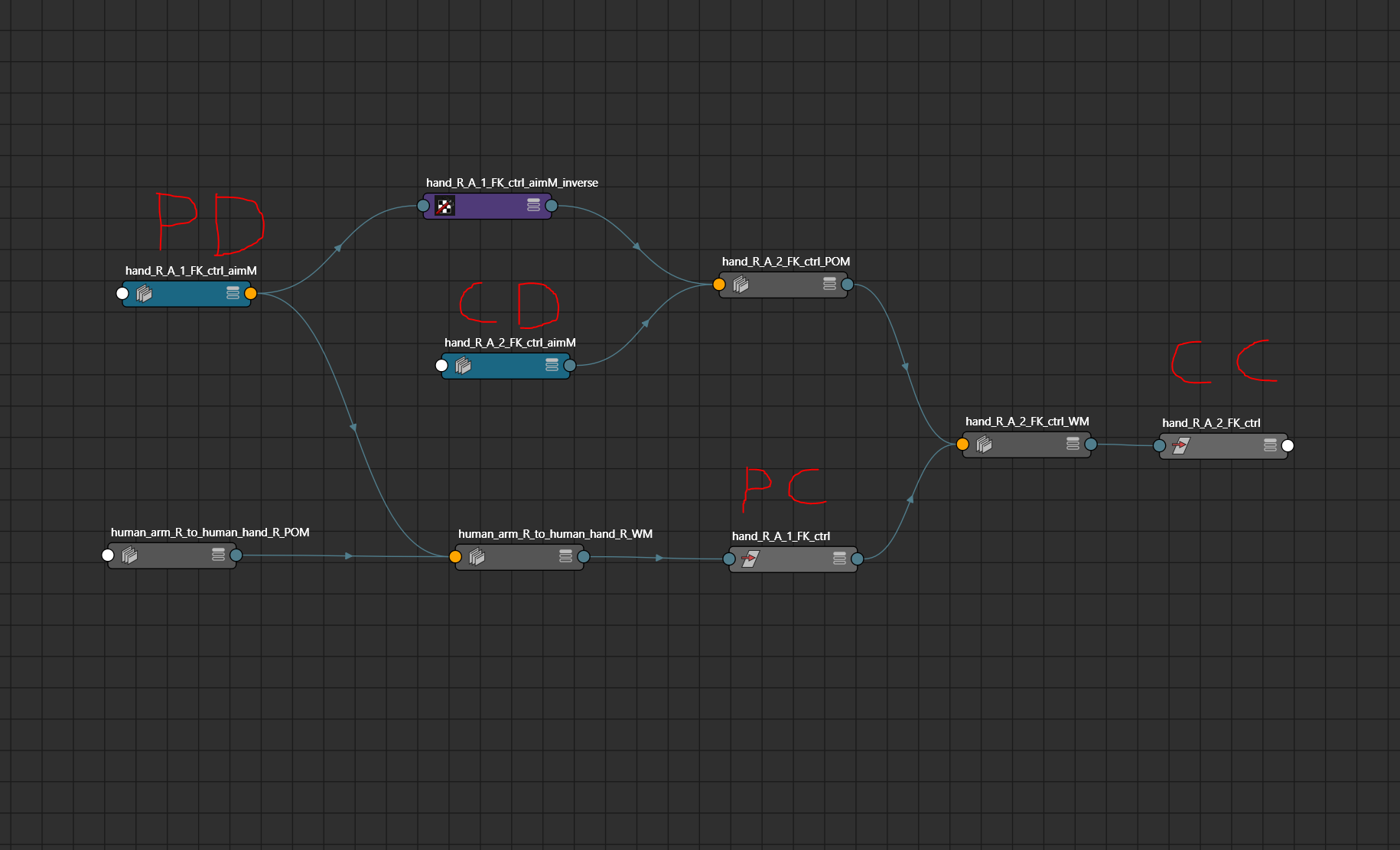
This is the basic node setup to make a parent constraint relationship. I consider it the most foundational technique, and is what I’ve been building most of my systems from as a starting point. To make a parent-child relationship, you will need the two controls you want to connect, and the nodes that determine their origin points. This can just be the guides that serve as offsets, or in my case aim matrices that use those guides to maintain coplanarity in areas like the arm.
Parent Constrain Matrix = CDWorldMatrix * PDWorldInverseMatrix * PCWorldMatrix
To make a node follow another, you must first take the parent control into world space. If you plug the result of my _POM mult matrix into a locator, that locator will be as far away from the world origin as the parent control is from the child control. By multiplying that matrix by the parent control, it will put the matrix back to your established local space origin, but now with the child following the parent.
In a happy accident, I discovered flipping the mult matrix order of the _WM node results in a rotate constraint behavior rather than a parent constraint, meaning the child will rotate around its own local position. This is nice to know for later, and a good demonstration that matrix multiplication is not commutative.
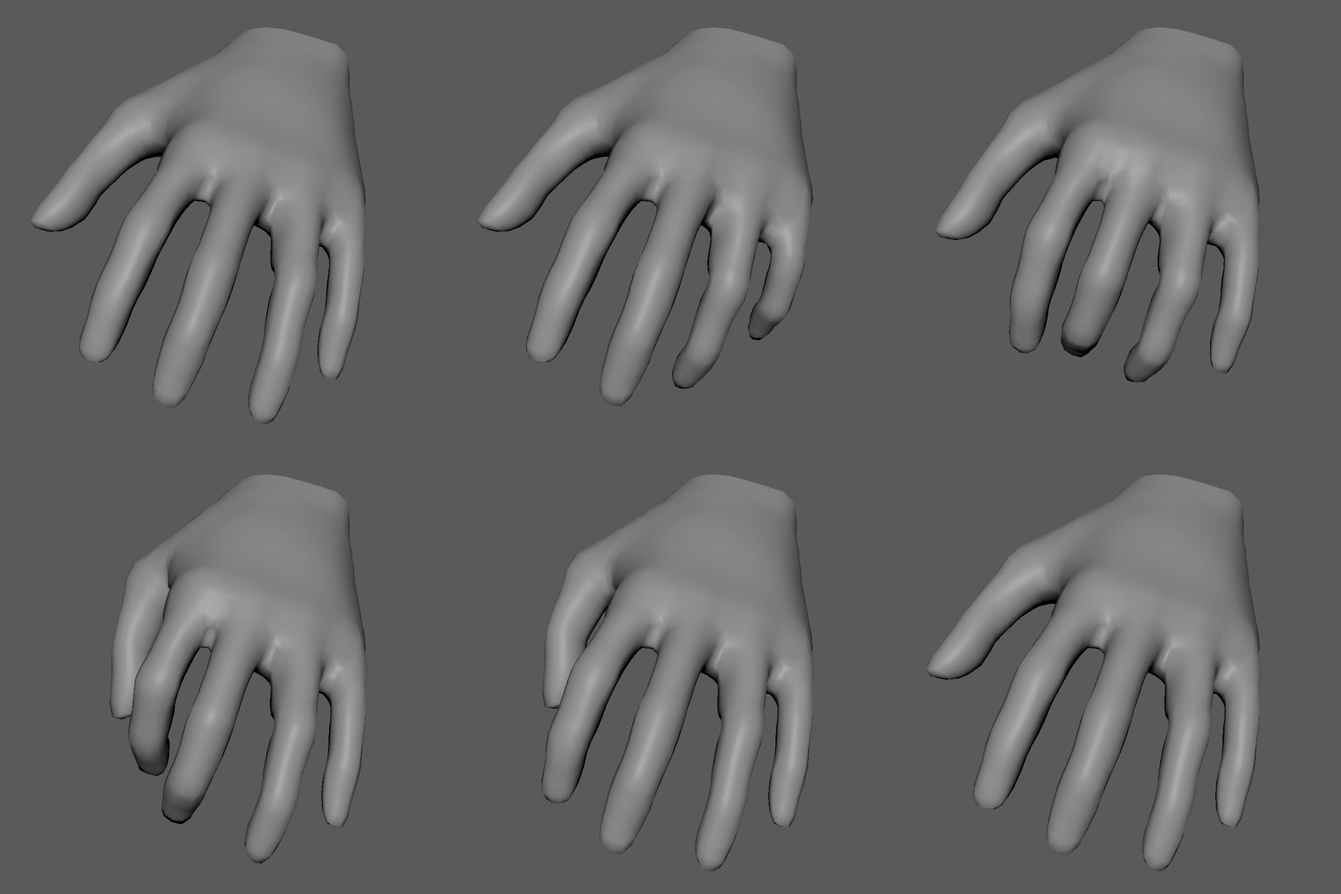
The hand of the model deforms as expected when using these FK controls!
That parent relationship setup is the same one I use to connect modules together, so the wrist of the arm will move the hand using the same multiplication order.
Besides FK controls, I consider IK limbs, reverse foot, and head space switching the other bare minimum essentials for an animatable rig. My next post will cover my matrix setup for these more special parent relationships. My end goal is to have zero Maya constraint nodes in my control rig, so it will be fun to figure out the cleanest matrix techniques!
