Designing a Face Rig for Real-time
Over the past few months I’ve been working on developing a toolset to handle automation of various tasks related to character rigging in Maya. I’m now turning my focus towards actually doing some rigging, to put these tools to the test.
My current base human template is lacking any sort of facial rig. In the past, I have worked on character face weights and control setups, so I know how much more attention needs to be paid in this area, even just to get something workable for animators.
A big difference with the face is that, besides the jaw, the motion in in this area is a result of sliding muscles, not anatomical joints. Where in the arm the 3D joints for the basic structure coincide with the shoulder, elbow, and wrist, the face needs deformation points that give the most streamlined control ability for an animator to hit key expressions. The face is also a focal point when communicating with other people, so even a layman is very sensitive to errors in motion here.
Sculpting
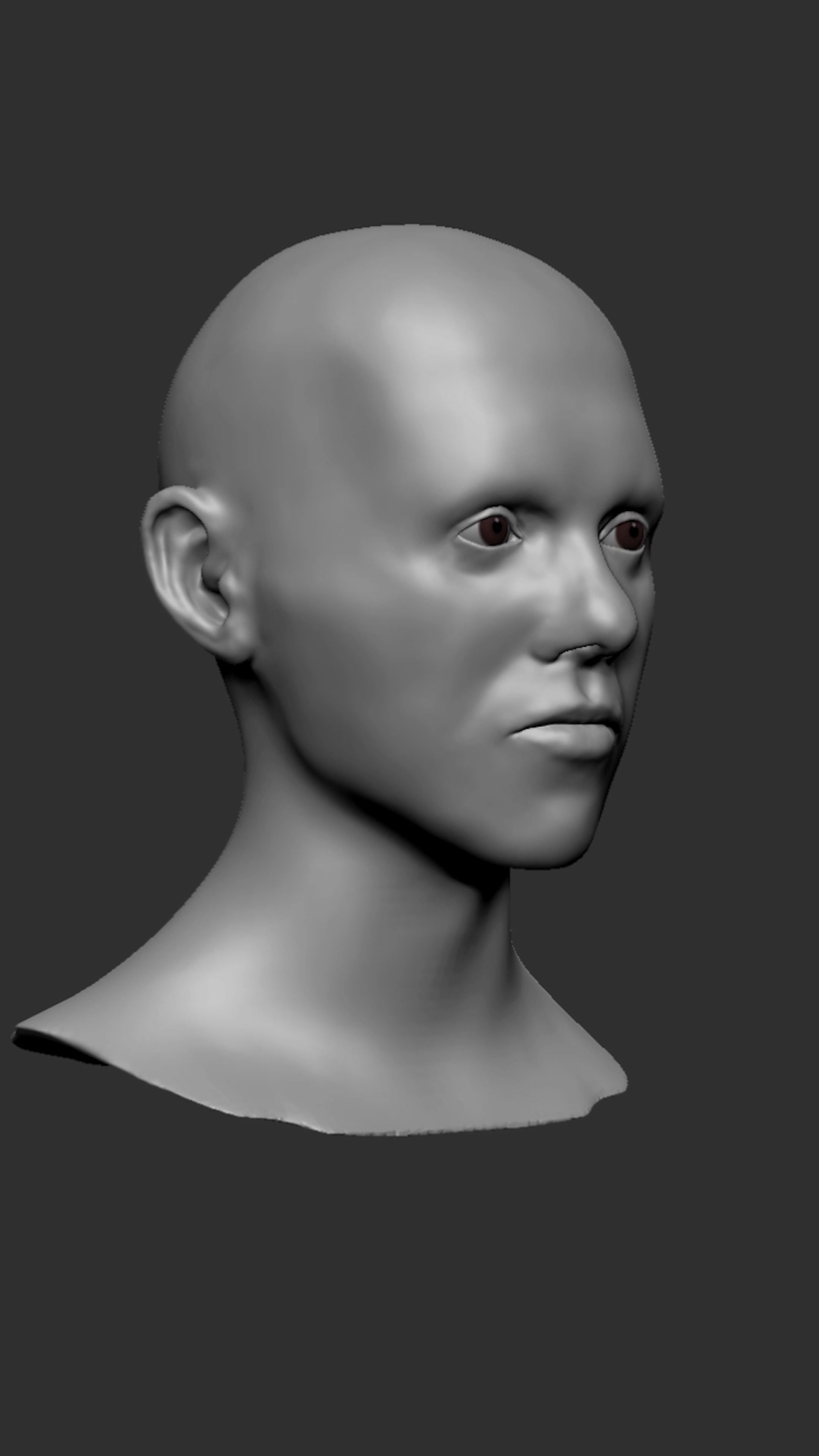
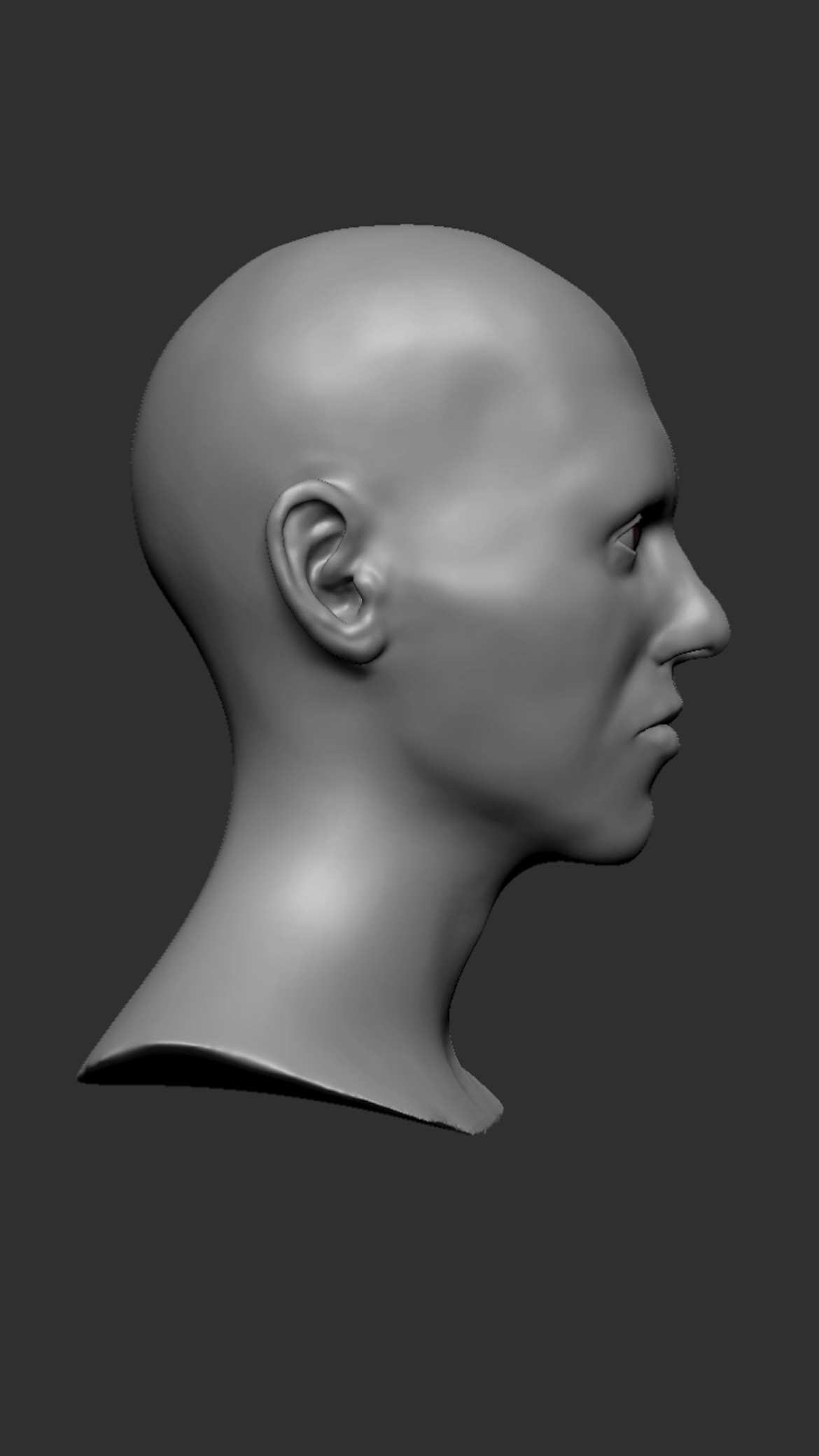
While my main focus is rigging and scripting, I have always loved anatomy, figure drawing, and ZBrush for passion projects. I could have found a template face for this project, but I thought I would have a much better grasp on the nuance of facial landmarks if I challenged myself to do the geometry myself. Over the course of the last months, I have been doing various face sculpting exercises, focusing on main features like the eyes, nose, and mouth.
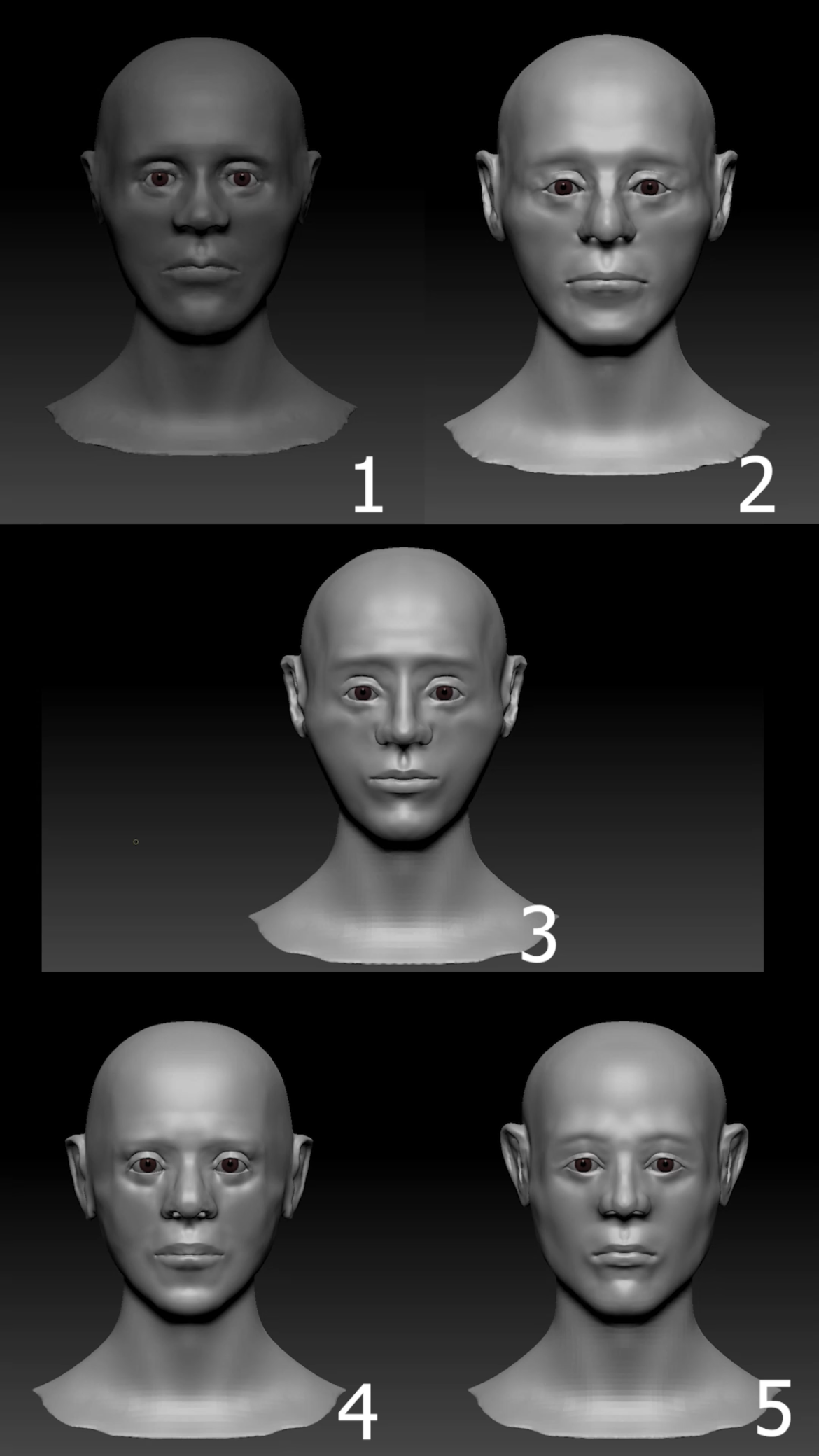
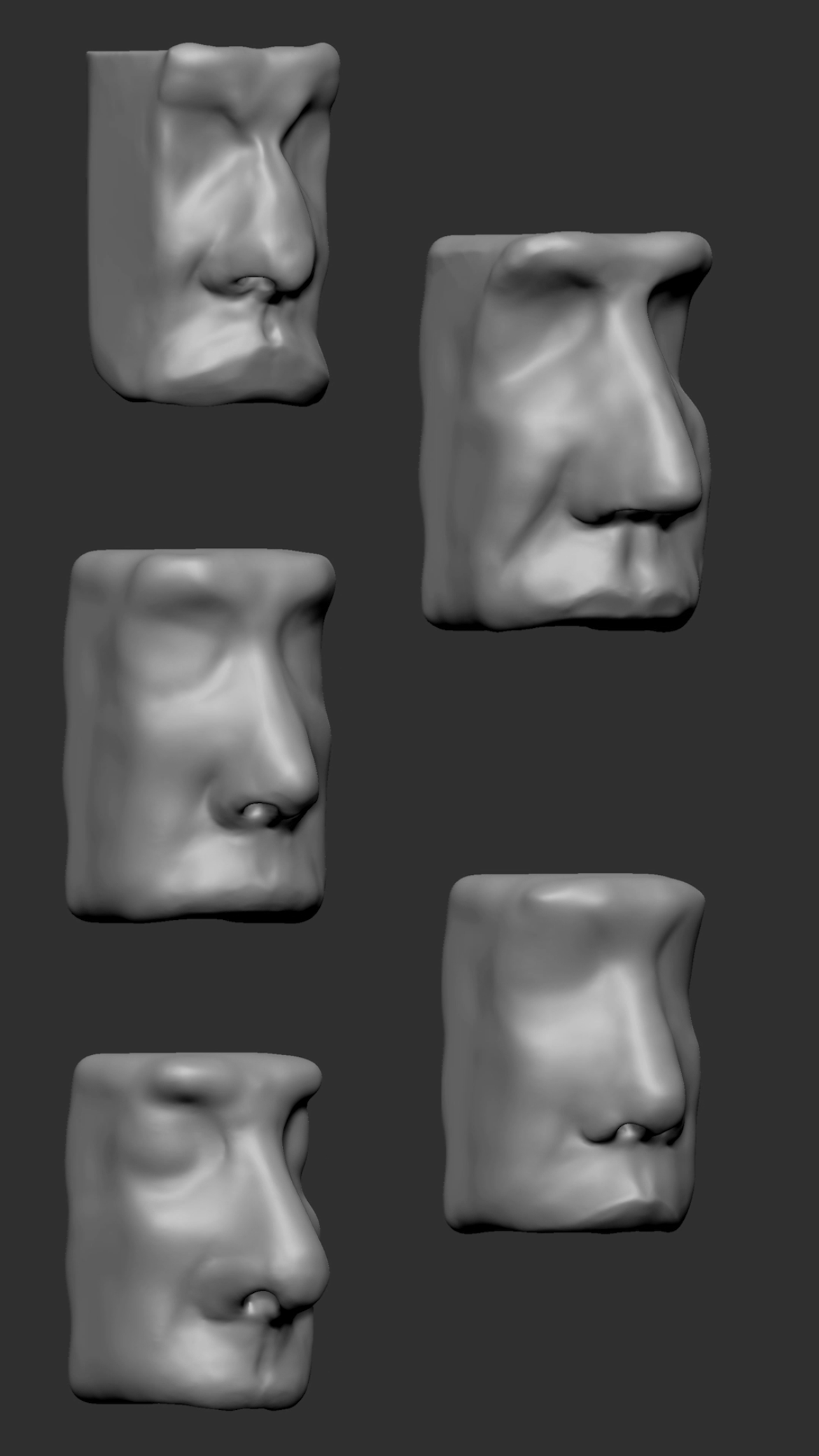
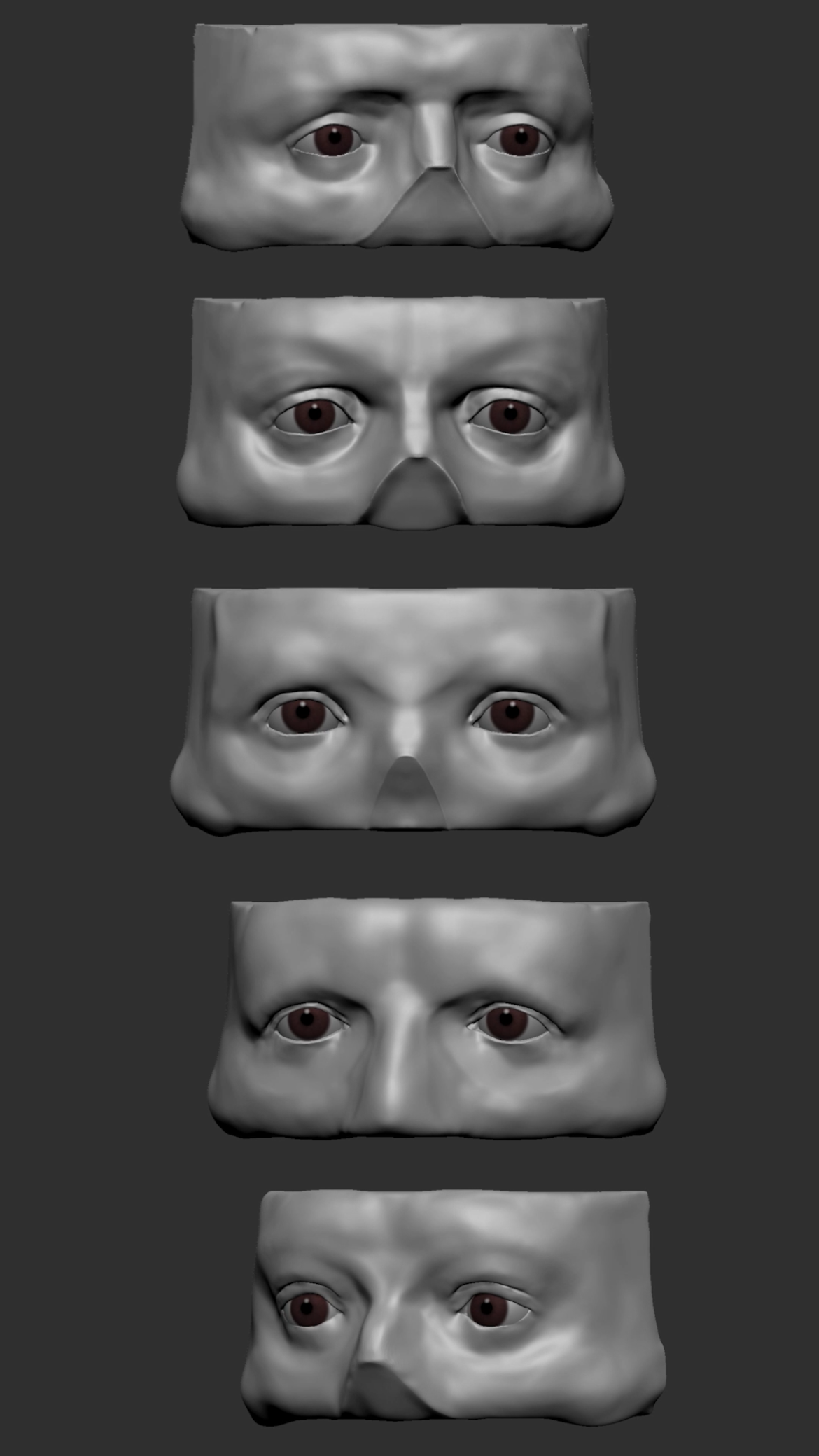
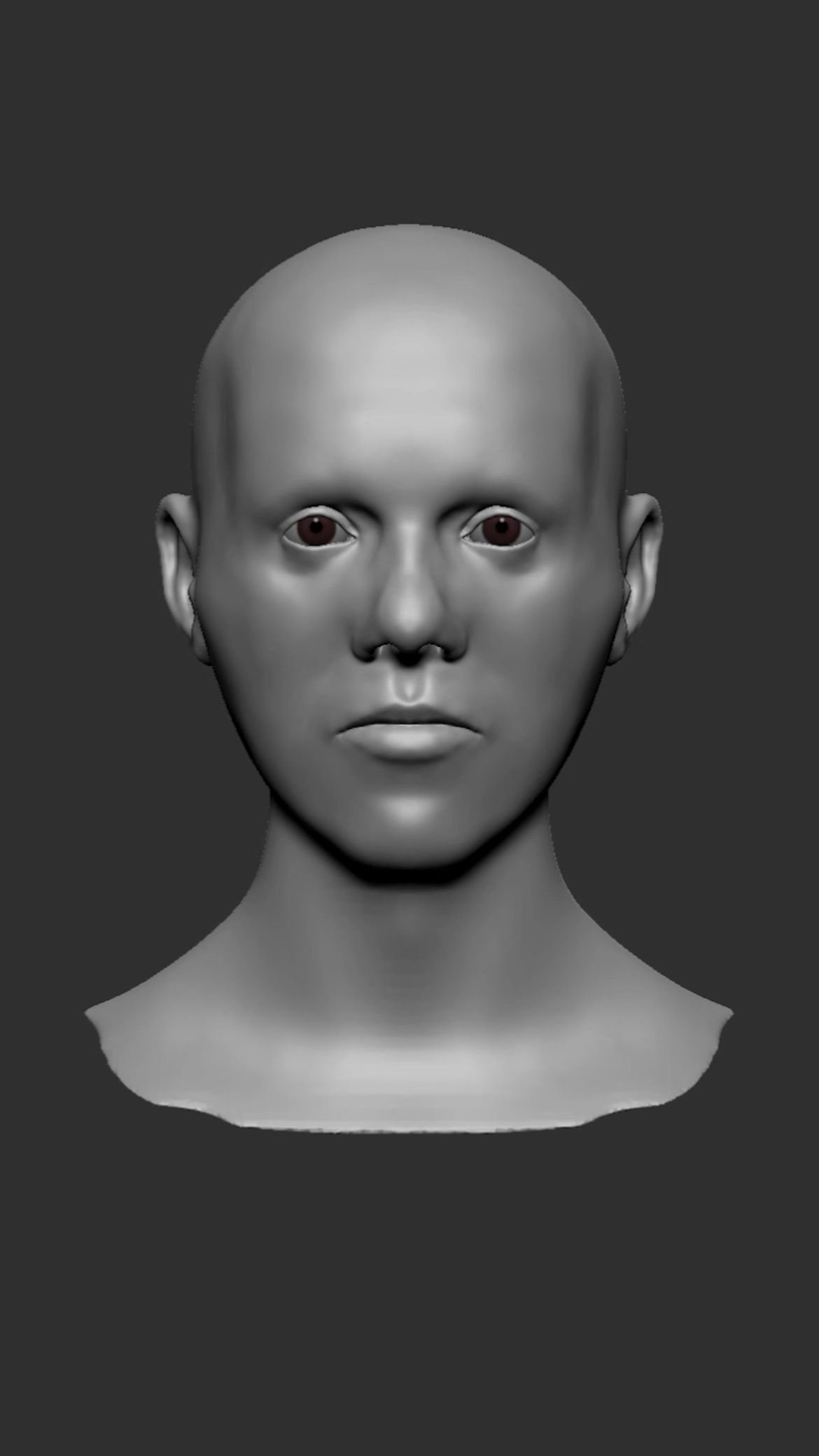
Attempts at a full face improved as I started to isolate the individual parts. In the first 5, there are a lot of anatomically inaccurate errors, like eyelid and lip shape, that were only solvable by getting more specific. Here is the high poly mesh that I finished with:
Weights
I am using a variety of sources to help understand what setups are popular with riggers and animators. Here are a few:
The Art of Moving Points, Brian Tindall - This book is great for planning out specifically where I want joints in my rig. There is a temptation to build a rig around the FACS system, but this book teaches a more abstract design that can deform the face the way that FACS can, without expecting the animator to have advanced knowledge of that system.
Stop Staring, Jason Osipa - Same topic, but is more about the subjective artistic side of animation and its application to facial rigging. As always, getting an animators perspective is crucial when planning a rig, since they are the target audience for the tool.
The Artist's Complete Guide to Facial Expression, Gary Faigin - I had the chance to work with Gary Faigin when I was at the University of Washington. He was very well studied specifically in the nuance of facial expression, and this book is a collection of many of the tips that he had discovered observing countless reference.
My first step is two follow the 3 point curve structure that is suggested by Brian Tindall. This means creating three joints for areas of high articulation like eyebrows, eyelids, lips, and cheeks. I am focused on getting these weights working together in a convincing way, before touching blendshapes or wrinkle maps.
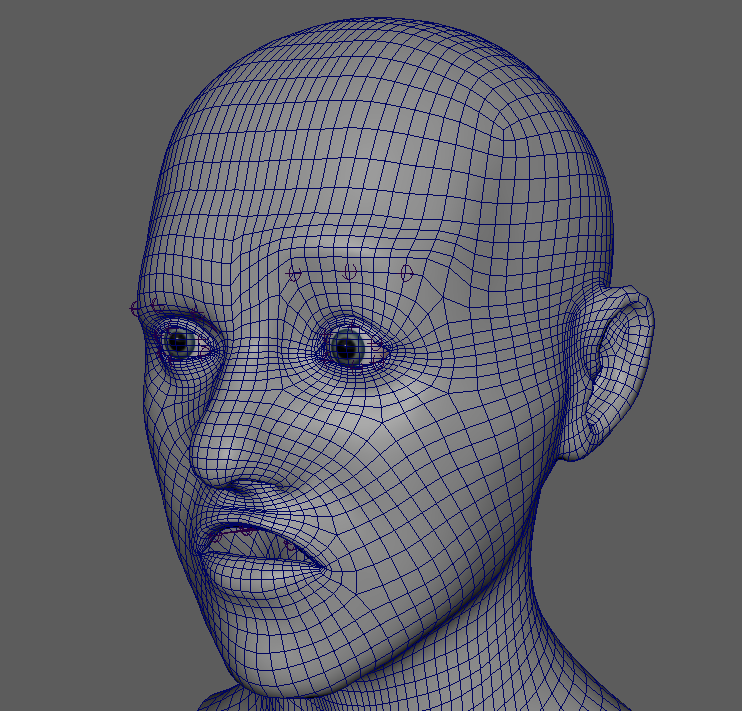
I have some animation targets that I’m looking to hit in the first pass. These are the six cardinal expressions, a lip sync test, cheek puffing, and automatic eyelid follow. Since this rig will be used in Unreal Engine, I am being mindful of quantity of joints and blendshapes, aiming for something convincing more than photorealistic.
Control System
The control system is a second priority at the moment, but I have been developing some ideas to test. The first major pinch point is that a lot of the movements in the face happen along an arbitrary arc. For body deformation, usually rotating about the joint itself gives the intended range of motion. Here, areas like the forehead rotate around a much shallower arc. Using a principle of arcs, I’m using a tool that will automatically find what point in space the joint must rotate around to satisfy that arc. Given three points, the center point of a circle can be found, where a locator will be placed to parent constraint the joints rotation in that axis. That rotation will then be controlled by a UI control system, like the one I am working on here:
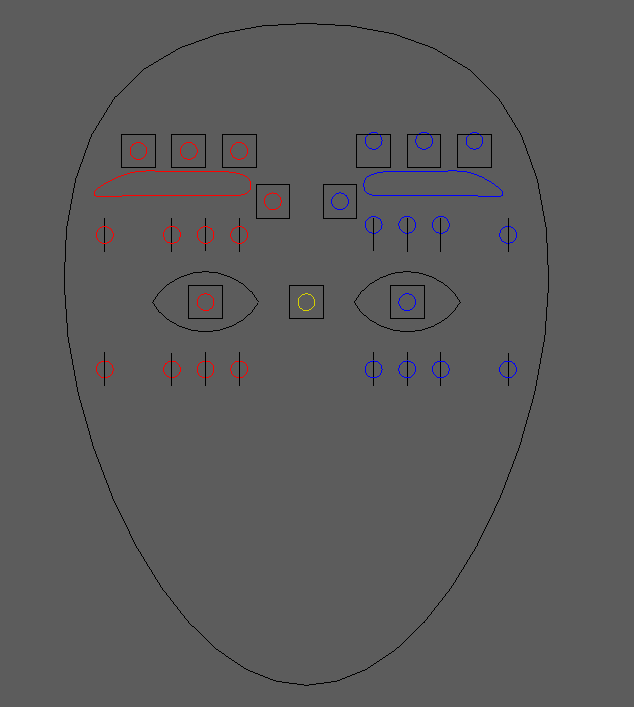
I am also considering the benefit of adding an intermediary control layer on the face itself, so the animator can make further tweaks outside of the rotation arcs established by this UI.
This project has a lot of moving pieces, so I will be putting in considerable time over the next month or two to get something solid for stress testing.
